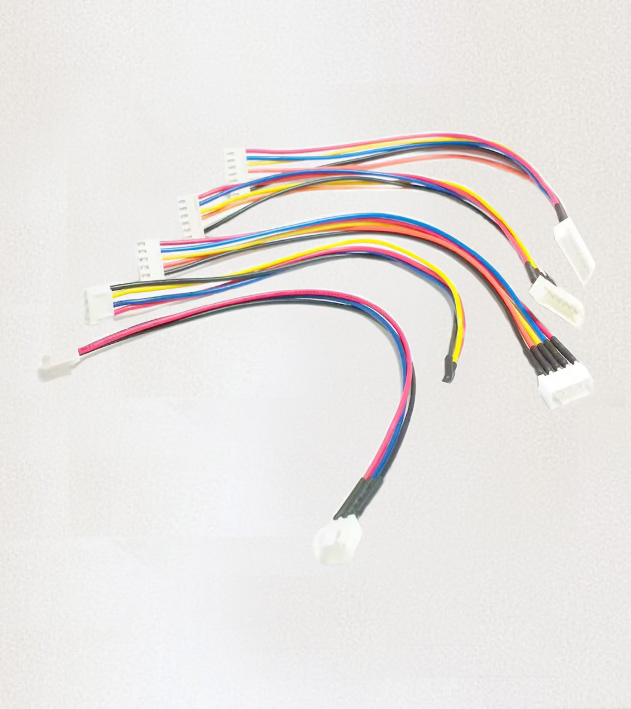
Every SamaraBoT robotic arm contains motors, a control board, sensors, and a power supply. But none of these parts can talk to each other on their own. Between them runs a small, colorful web of cables that carries every signal, every command, and every bit of power through the robot.
Those cables are called jumper wires, and they are one of the simplest — and most important — parts of the entire robot.
In this article we explain what jumper wires are, why SamaraBoT uses them, and what students learn from connecting them for the first time.
What are jumper wires?
A jumper wire is a short electrical cable with a connector on each end. Its job is to carry a signal or power from one point to another inside an electronic device.
The ones used in SamaraBoT have a small white plastic connector at each end. The connector holds several thin wires side by side, so a single cable can carry multiple signals at once. Inside each connector, tiny metal pins press against matching pins on the control board, creating a firm electrical connection without any soldering.
This is why jumper wires are so useful for a robot designed to be built by students. Nothing needs to be soldered. Nothing needs to be cut. Each wire simply plugs in, and if a student makes a mistake, it can be unplugged and plugged in again in seconds.
Why does SamaraBoT use jumper wires?
When we designed the SamaraBoT arm, we wanted a robot that could be assembled, disassembled, and reassembled many times without damage. Jumper wires make this possible for three reasons:
1. No soldering required.
Soldering is a skill that takes time to learn and can be dangerous for young students. With jumper wires, a child can connect the entire robot using only their hands.
2. Easy to replace.
If a wire is damaged, it can be swapped out in seconds. No need to desolder and resolder — just unplug the old one and plug in a new one.
3. Easy to debug.
If something does not work, a student can unplug one wire at a time and check each connection. This teaches the same troubleshooting process that real engineers use.
Why do the wires have different colors?
If you look closely at the picture, you will see that each cable contains wires in different colors — red, black, yellow, blue, and white.
The colors are not decoration. They follow a system used in electronics all over the world:
- Red — usually carries positive power (VCC).
- Black — usually carries ground (GND).
- Yellow, blue, white, and others — carry signals between the control board and the motors, sensors, or other parts.
This color system means a student can look at a wire and instantly know what it does. Without the colors, every wire would look identical, and connecting the wrong one could damage the electronics.
The colors are a form of visual language — the same language used inside computers, drones, and industrial machines.
What do jumper wires connect in SamaraBoT?
Inside SamaraBoT, jumper wires connect:
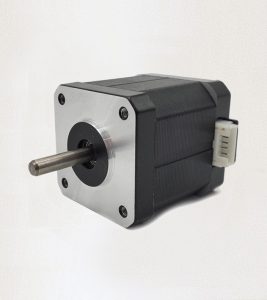
- The stepper motors to the control board, so the board can tell each motor how far to move.
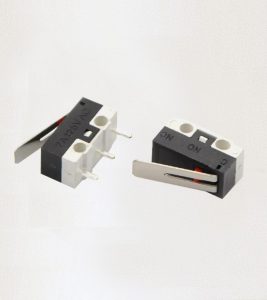
- The IR sensor to the board, so the robot can detect parts on the conveyor belt.
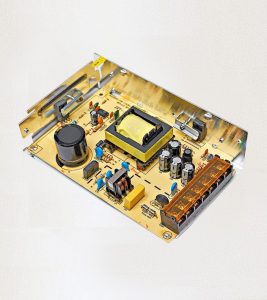
- The power supply to the board, so the whole system gets the electricity it needs.
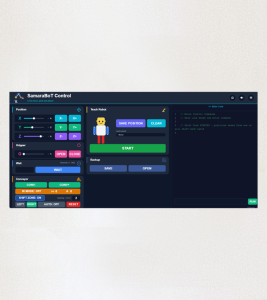
- The USB connection to the app, so commands can travel from the computer to the robot.
Each of these connections has its own number of wires and its own shape of connector, so a cable meant for one part will not fit into another. This is called a keyed connection — a design that prevents mistakes before they happen.
Why is the connector shape important?
The white plastic connectors you see in the picture are not all the same. Some have two pins, some have four, some have five. Each part of the robot requires a different number of connections, and the connector shapes match exactly.
This is important because it prevents two problems:
- Plugging into the wrong port. A 4-pin cable cannot fit into a 5-pin socket, so the wrong connection simply cannot happen.
- Plugging in backward. The connectors have a small plastic tab on one side, so they only fit one way. A student cannot accidentally reverse the polarity.
These small design decisions make the robot safe to use even for someone who has never built electronics before. A child cannot damage the control board by plugging something in the wrong way — the cable simply will not fit.
What does a student learn from a jumper wire?
A jumper wire looks like a simple cable, but it teaches several important ideas:
Colors carry meaning.
Red always means power. Black always means ground. Once a student learns this, they can read any electronic device anywhere in the world.
Connections have a shape.
The right cable only fits in the right place. This teaches the concept of a keyed connector — a design used in everything from cars to medical equipment.
Every wire has a job.
If one wire is disconnected, the whole system stops working. This teaches students that in a machine, every part matters, no matter how small.
Errors can be fixed.
If something does not work, the student can unplug and try again. This teaches the value of testing, checking, and retrying — the same habit every engineer uses.
A colorful map of the robot
When a SamaraBoT arm is fully assembled, the jumper wires form a small, colorful map inside the robot. Each color tells a story, each connector has a purpose, and each cable carries the exact signals that bring the arm to life.
Students who understand this map are not just building a robot — they are learning to read the language of electronics. It is a skill they will use in every machine they ever work on.
That is the real lesson behind every jumper wire in SamaraBoT.